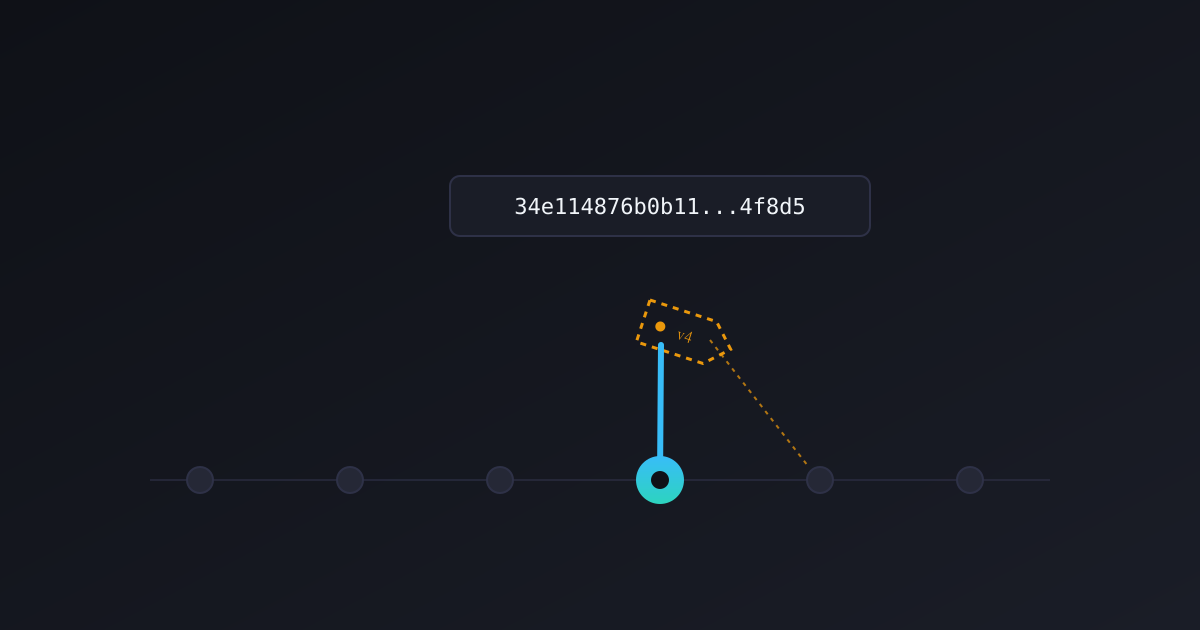
Every GitHub Actions workflow I’ve ever seen starts the same way: uses: actions/checkout@v4. That looks fixed, like a version number. It is not one.
A tag like @v4 is a pointer, and pointers can move. Whoever controls that repository can repoint v4 at a different commit tomorrow, and your workflow will pull whatever is there without asking you first. In March 2025, that’s exactly what happened to a GitHub Action used in more than 23,000 repositories. I’ll get to that. First, here’s why I stopped trusting tags on probl.me’s own CI/CD pipeline, and the two mistakes I made while doing it.
A tag is a promise someone else can break
Here’s the mental model that finally made this click for me: actions/checkout@v4 is not “version 4 of checkout.” It’s “whatever commit the tag named v4 currently points to.” Those are different things, and the difference is the entire security model.
GitHub’s own documentation is direct about this: pinning to a full-length commit SHA “is currently the only way to use an action as an immutable release.” Everything else, a tag, a branch name, a short SHA, can be repointed after you’ve already trusted it.
I’d read advice like this before I ever wrote a line of GitHub Actions YAML, and it didn’t fully land until I connected it to something I’d actually lived through.
I’ve seen this problem before, just without the “Actions” part
Before probl.me, I worked on the CylancePROTECT agent team at Cylance, an endpoint security company. Our Linux install packages weren’t code-signed. As a substitute, we published the SHA checksums of every install package and every incremental update package, so customers could verify that what they’d downloaded matched what our development team had actually built.
I can’t speak to whether every other endpoint security vendor did this. We did, and here’s why: without a signature, a checksum was the only way for a customer to prove a package hadn’t been tampered with in transit. Not once did we have a case where a customer’s checksum didn’t match ours. It was a preventive measure, not a response to an incident.
That practice and SHA-pinning a GitHub Action share the same instinct: don’t just trust that what you’re about to run is what you think it is, verify it against a fixed reference. But there’s a real difference between the two, and it’s worth being precise about it.
At Cylance, verification was something a customer could do. Download the file, compute the hash, compare it. It was optional, and most people probably skipped it. GitHub Actions SHA-pinning has no such step to skip. The workflow simply cannot execute different code than the SHA you wrote down. Verification isn’t a checklist item anymore, it’s built into the mechanism itself.
The threat model is different too. Cylance’s checksums protected a static, already-built file from being altered in transit. A GitHub Actions tag protects against something that hasn’t happened yet: a reference you trusted today being quietly redirected at any point in the future. Checking a file isn’t the point. You’re locking a reference that would otherwise be free to move.
Two incidents, a year apart
I don’t need to argue this in the abstract. It has already happened, twice, in ways that are well documented.
In March 2025, the GitHub Action tj-actions/changed-files, used in over 23,000 repositories, was compromised (CVE-2025-30066). An attacker got access through a compromised bot account’s personal access token, pushed a malicious commit, and then retagged the action’s existing version tags, v35, v44, and roughly 350 others, to point at it. Anyone who referenced the action by tag pulled the malicious code on their next run, no click, no approval, nothing to notice until it was already running. The payload dumped CI runner memory looking for credentials and printed them straight into public build logs.
Repos that had pinned to a specific commit SHA were untouched. Their uses: line pointed at an object the attacker’s retagging couldn’t reach.
Then, in March 2026, it happened again to a different tool. aquasecurity/trivy-action, used across the industry for exactly the kind of dependency scanning SECURITY_SCANNING.md calls for on probl.me, was hit next. The attacker, whom security researchers dubbed “TeamPCP,” force-pushed 75 of its 76 version tags to a malicious commit. The injected code harvested SSH keys, cloud credentials, and GitHub tokens from CI runners. Same mechanism as tj-actions almost exactly a year earlier: move the tag, wait for someone to trust it.
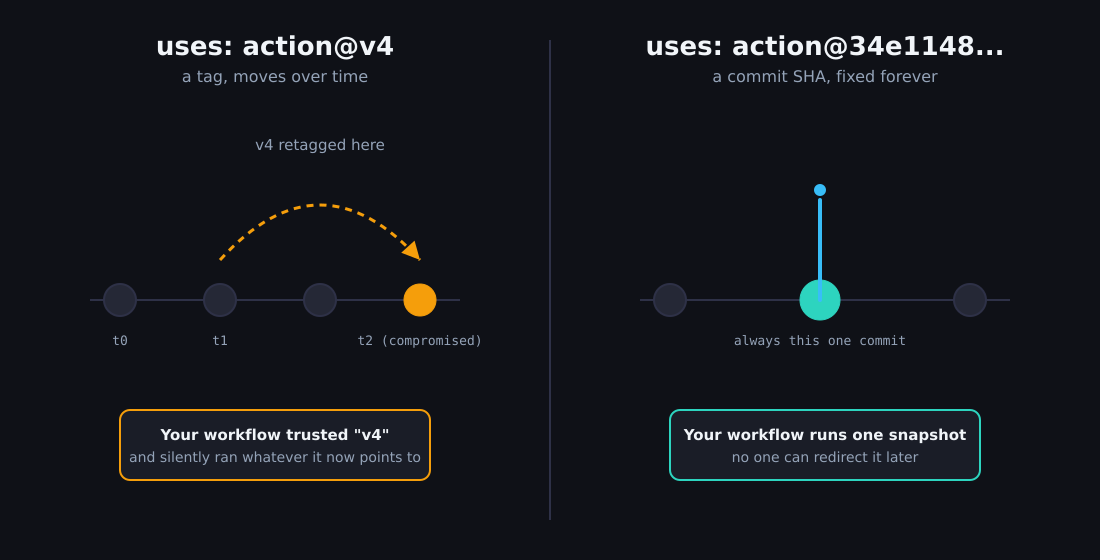
Two incidents, roughly a year apart, same root cause, same fix. That’s not a coincidence, it’s a pattern.
The mistake I didn’t catch until I tried to write about it
Here’s where I have to be honest about something.
When I built the four GitHub Actions workflows running probl.me’s CI/CD, ci.yml, deploy.yml, security.yml, and lighthouse.yml, I pinned every third-party action to its full commit SHA from the start. That part was solid. What I hadn’t done was set up anything to tell me when a pin was behind.
I was surprised when this came up, and I probably shouldn’t have been. Reprioritizing and pivoting is just part of how I build with Claude, and this is exactly the kind of thing that can slip through the cracks when you’re moving fast. It surfaced because I was working through the interview process for this exact article, and the working title promised something I hadn’t actually built yet: automation to keep the pins current.
Once we noticed the gap, we closed it in the same session. I added .github/dependabot.yml with package-ecosystem: "github-actions" on a weekly schedule. Now, when a pinned action has a newer release, Dependabot opens a pull request that updates both the SHA and the human-readable version comment next to it (# v4), automatically. I review and merge it like any other PR. No manual SHA-hunting required.
That’s the part most articles about pinning skip. Pinning without an update mechanism doesn’t remove risk, it just trades “silently vulnerable to a compromised tag” for “silently stuck on an old version forever.” You need both halves, or you’ve only solved half the problem.
The tool I thought was checking this wasn’t
I made a second mistake while researching this piece, and I want to be just as direct about it.
probl.me’s SECURITY_SCANNING.md has instructed Claude agents to pin every Action to a SHA, and it attributed the enforcement of that rule to Checkov, our infrastructure-as-code scanner. I’d cited that same rule ID in a commit message earlier in this process. It turns out that claim was wrong.
I ran checkov -d .github/ --framework github_actions directly and read through the actual check IDs it reports: CKV_GHA_1 through CKV_GHA_7, plus CKV2_GHA_1. They cover unsecure commands, shell injection, suspicious curl usage, cosign attestation, and a few other things. None of them check whether an action is pinned to a SHA. There’s an open feature request for exactly this check in Checkov’s own repository, filed after the tj-actions incident, still unshipped.
The tool that actually does check this is OpenSSF Scorecard, specifically its Pinned-Dependencies check, which is the industry-recognized automated test for this practice. probl.me didn’t have it running at all. So I added it: a new workflow that runs Scorecard weekly, uploads results to the repo’s own Security tab, and for now keeps them private rather than publishing a public score.
That last part deserves a word of explanation. Scorecard checks around 18 things total. Several of them, requiring a second human reviewer on every pull request, having contributors from multiple organizations, running fuzz testing, score near zero for a project with exactly one maintainer. That’s not a real gap. It’s just what a solo project looks like. Publishing a public score before addressing the parts that are real gaps, no branch protection on main, no SECURITY.md file, seemed more likely to mislead a reader than inform one. I logged the honest breakdown, 6.1 out of 10, along with what’s actually worth fixing, in a file I’m keeping updated as I close those gaps.
What I’d tell someone starting from zero
Don’t stop at “pin to a SHA.” That’s the easy 80% of the work, and it’s also the part every other article about this topic already covers.
Set up Dependabot for the github-actions ecosystem in the same sitting you do the pinning. It’s a ten-line YAML file and it’s free. If you wait, you’ll end up in the position I was in: technically correct, quietly stale, and not finding out until something forces you to look.
Pinning isn’t free of tradeoffs, and I don’t want to pretend otherwise. If you pin a commit that’s already backdoored, you’ve pinned the backdoor. SHA-pinning defends against a tag moving after you trust it, not against a bad decision at the moment you trust it. Review what you’re pinning, especially the first time. And pinning your direct dependencies doesn’t help if an action you trust calls other, unpinned actions internally. That’s a real blind spot worth knowing about, even if it’s outside the scope of what I fixed here.
I’d also push back gently on the idea that this only matters for big projects with real production secrets. probl.me is a personal blog. Its CI secrets are still worth something, deploy tokens, GitHub Pages permissions, and the habit matters more than the specific stakes of any one repository. Build the discipline before you have something bigger to protect, not after.
One more thing, and it’s the part of this whole process I actually want to underline. Working with Claude on this wasn’t just execution, it was a way to learn something I didn’t fully understand before. I asked questions along the way specifically to expand my own understanding, and I pushed back on claims that turned out to be wrong twice in this same session.
That’s not a knock on the tooling. It’s the point. If you’re building with AI, don’t outsource your judgment to it. Do some of your own research outside the session, and ask it to weigh its own recommendations against what you find.
I wrote about the discipline that makes sessions like this one productive instead of chaotic in how context limits changed the way I build with AI. This article is a pretty direct example of that discipline paying off, twice, in the same afternoon.
Key takeaways
A version tag on a GitHub Action is not a security boundary, it’s a reference someone else can move. Pin to the full commit SHA instead, that’s the only form GitHub itself calls immutable. Pair it with Dependabot so the pins don’t just sit there going stale. And check what’s actually enforcing your security practices, not just what your documentation claims is enforcing them. I was wrong about that twice in the process of writing this, and catching it both times made the article, and the repository, more honest than it started out.